Moleskine
Moleskine Smart Writing Set
The Moleskine Smart Writing Set combines a paper notebook with a digital pen and companion app to capture handwritten notes and sync them to a device in real time.
# Moleskine Smart Writing Set
## Overview The Moleskine Smart Writing Set is an analog-meets-digital note-taking system that captures your handwritten notes and sketches in real time and syncs them to the Moleskine Notes app on your smartphone or tablet. It pairs a specialized dot-grid notebook with a smart pen to digitize your handwriting as you write — no scanning required. The set is designed for people who prefer writing by hand but want the convenience of digital storage and organization.
## Standout Features - **Real-time digitization:** The smart pen captures your handwriting and drawings as you write on the notebook's dot-grid pages, transferring them to the companion app via Bluetooth - **Moleskine Notes app integration:** Synced notes can be organized, searched (with handwriting recognition), and exported in the app, available for iOS and Android - **Analog feel:** Uses real pen on real paper — the writing experience is that of a traditional notebook, not a stylus on glass - **Recycled paper:** The notebook uses paper made from recycled materials, a meaningful consideration for environmentally conscious buyers - **Export options:** Notes can be exported as images or PDFs, making them shareable across other platforms and apps - **Sketch and handwriting support:** Captures both written text and freehand drawings, not just typed-style input
## Who It's For This set is well-suited for students, professionals, and creatives who genuinely prefer the tactile experience of writing on paper but need their notes to live somewhere searchable and backed up digitally. It's a particularly good fit for meeting note-takers, journalers, or sketchers who find themselves constantly re-typing handwritten notes after the fact. If you're already a Moleskine loyalist, the transition to this system will feel natural.
## Important Considerations - **Proprietary notebook required:** The smart pen only works with Moleskine's specially dot-patterned paper. When you run out of pages, you'll need to purchase Moleskine-branded refill notebooks, which adds an ongoing cost beyond the initial set purchase. - **App dependency:** The full value of this product depends on the Moleskine Notes app continuing to be supported. As with any hardware-software ecosystem, changes to app availability or compatibility could affect long-term usability — worth keeping in mind for a product you may rely on for years. - **Handwriting recognition accuracy varies:** OCR (optical character recognition) for handwriting search works reasonably well for neat, consistent handwriting, but may struggle with messier or highly stylized scripts. - **Charging required:** The smart pen needs to be charged regularly. If you're used to grabbing any pen and writing without a second thought, remembering to keep it charged is a real behavioral adjustment. - **Price point:** The Smart Writing Set carries a notably higher upfront cost than a standard notebook and pen. It's worth honestly asking whether the digitization workflow will genuinely fit into your daily habits before committing. - **Not a stylus replacement:** If your primary goal is digital note-taking with annotation or pressure-sensitive drawing, a dedicated tablet stylus (like an Apple Pencil) may offer more flexibility and power for that use case. - **Bluetooth connectivity:** Like any Bluetooth-connected device, occasional pairing or sync issues can occur, particularly when switching between devices.
Key features
- Smart writing set
- app digitization
- recycled paper
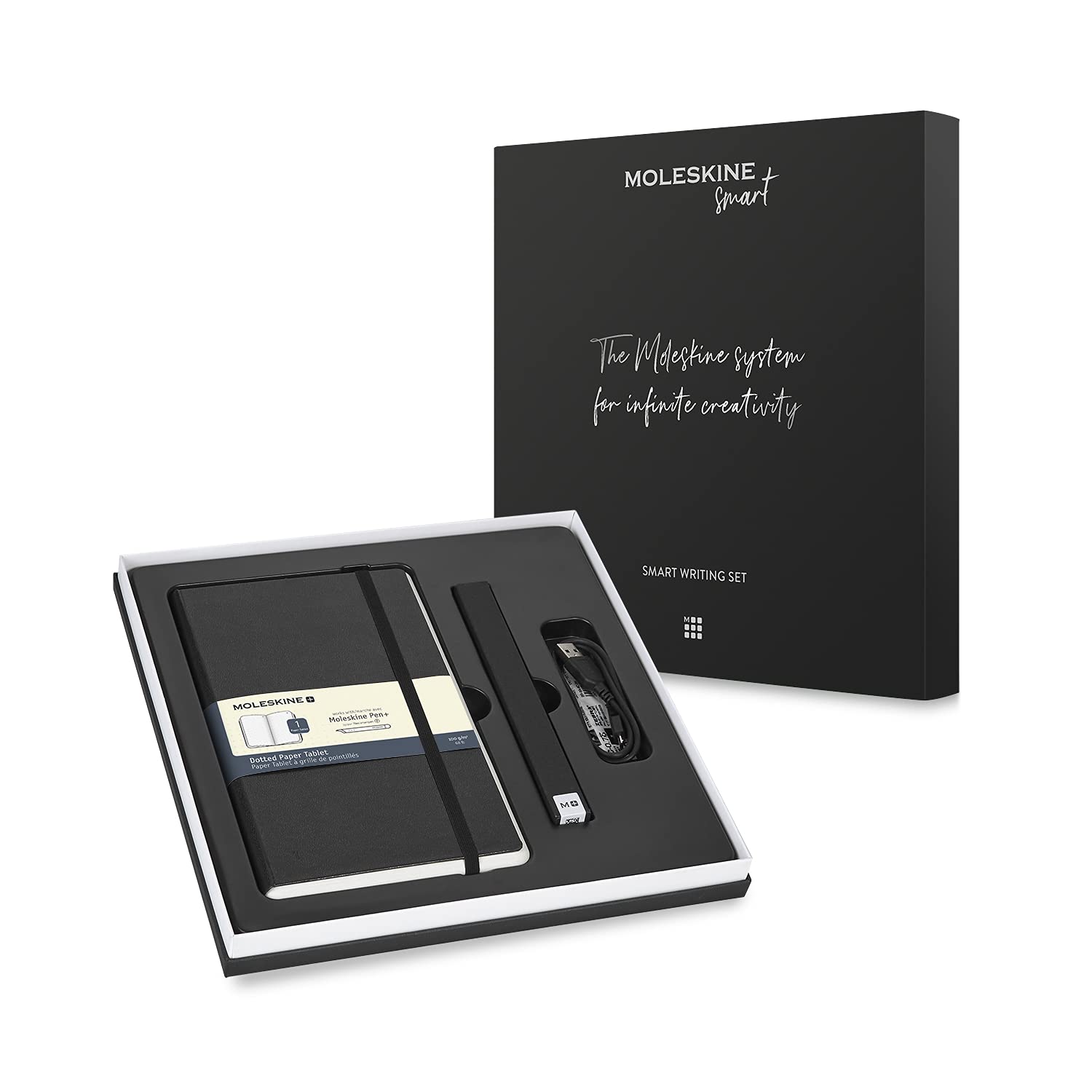
Analogue writing habits meet digital convenience without forcing you to abandon either.
What stands out
- Captures handwriting digitally as you write, removing the need to photograph or scan notes later
- Companion app converts handwriting to searchable, editable text
- Notebook uses recycled paper, giving the analogue side of the system some environmental credibility
- Keeps the familiar feel of pen on paper rather than a glass screen
What to weigh
- The system is proprietary — the smart pen only works with Moleskine's own dotted paper, locking you into their notebook ecosystem
- Requires charging the pen and keeping the app active, adding friction compared to a plain notebook
- OCR accuracy for handwriting recognition can vary depending on penmanship style
Great fit if
- Note-takers who prefer writing by hand but need their notes searchable and backed up digitally
- Professionals who sketch or annotate in meetings and want those records synced automatically
- Anyone already invested in the Moleskine notebook habit looking to add a digital layer
Skip it if
- Shoppers unwilling to commit to Moleskine's proprietary paper — the pen won't work with other notebooks
- Those who want a fully open, cross-platform digital note system without ecosystem lock-in
- Occasional note-takers for whom the cost and setup complexity outweigh the convenience