Logitech
Logitech MX Mechanical Mini
The MX Mechanical Mini is Logitech's compact wireless mechanical keyboard aimed at productivity users who want tactile feedback without a full-size footprint.
# Logitech MX Mechanical Mini
## Overview The MX Mechanical Mini is a compact wireless mechanical keyboard designed for professionals and creatives who want the tactile feedback of mechanical switches without the bulk of a full-size board. It combines Logitech's MagSpeed hybrid switches with smart illumination and Logi Bolt wireless connectivity for a streamlined, portable typing experience.
## Standout Features - **MagSpeed Hybrid Switches** — Logitech's proprietary mechanical switches that blend mechanical tactility with reduced actuation distance (around 1.3mm), offering faster response than traditional mechanical switches - **Compact 65% Layout** — Smaller footprint than full-size keyboards while retaining arrow keys and essential function keys - **Smart Illumination** — Backlighting that adjusts based on ambient light and typing activity, helping reduce eye strain - **Logi Bolt Wireless** — Proprietary 2.4GHz wireless protocol with low-latency performance and encrypted connection; includes USB receiver - **Multi-Device Pairing** — Can connect to multiple devices simultaneously and switch between them - **Rechargeable Battery** — Built-in lithium battery with USB-C charging; Logitech claims several weeks of battery life per charge - **Aluminum Top Case** — Durable construction with a premium feel - **Programmable Keys** — Customizable through Logitech Options software for macros and shortcuts
## Who It's For This keyboard is ideal for **remote workers, content creators, and professionals** who spend significant time typing and value both portability and typing comfort. It's particularly suited for people who travel frequently or work across multiple workspaces and appreciate the tactile response of mechanical switches without needing a full-size board. It's also a good fit for those already invested in Logitech's ecosystem who want wireless convenience with professional-grade build quality.
## Important Considerations
**Size Trade-offs** The 65% layout omits the numeric keypad and some function keys found on full-size keyboards. If you regularly use a numpad or need dedicated media controls, this may feel limiting. The compact size also means less desk real estate, which some users prefer but others find cramped.
**Switch Feel is Subjective** While MagSpeed switches are faster than traditional mechanical switches, they're not for everyone. The hybrid design prioritizes speed over the deeper tactile feedback some mechanical keyboard enthusiasts prefer. If you're accustomed to Cherry MX or similar switches, the feel will be noticeably different—try one before committing if possible.
**Logi Bolt Dependency** The keyboard relies on Logitech's proprietary Logi Bolt protocol rather than standard Bluetooth. This means it won't work with devices that don't support Logi Bolt (though the USB receiver covers most computers). If you need maximum device compatibility or prefer open standards, this is a limitation.
**Software Requirements** Full customization and smart illumination features require Logitech Options software. The keyboard functions without it, but you lose programmability and some convenience features. Some users find Logitech's software bloated or prefer keyboards that don't require it.
**Battery Life Variability** While Logitech claims weeks of battery life, actual performance depends heavily on illumination settings and usage patterns. Heavy users with backlighting always on may see shorter intervals between charges.
**Price Point** This is a premium keyboard. You're paying for the Logitech brand, build quality, and wireless convenience—not necessarily getting more features than mid-range mechanical keyboards at lower price points.
**Noise Level** Mechanical switches are inherently louder than membrane or scissor-switch keyboards. While MagSpeed switches are relatively quiet for mechanical switches, they're not silent. This matters if you share workspace or attend video calls frequently.
Key features
- MagSpeed switches (hybrid)
- smart illumination
- Logi Bolt wireless
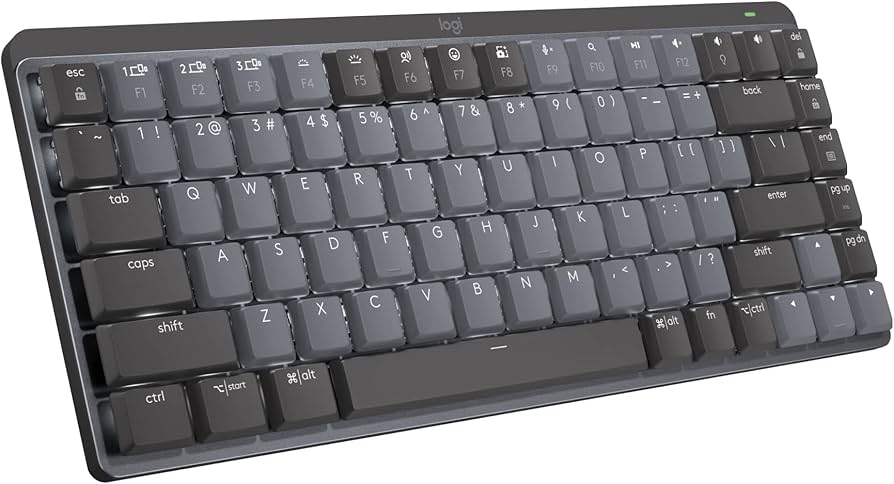
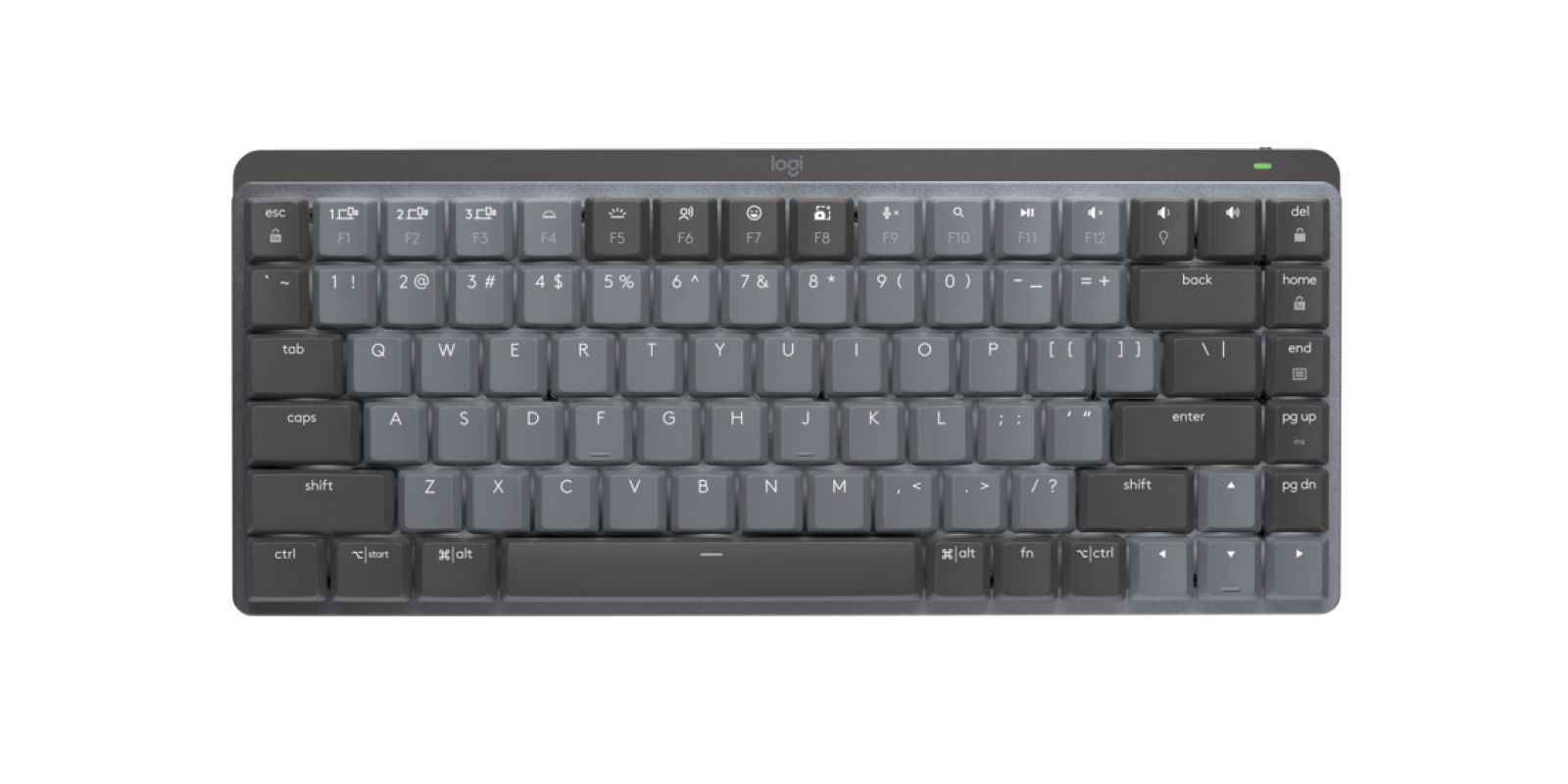
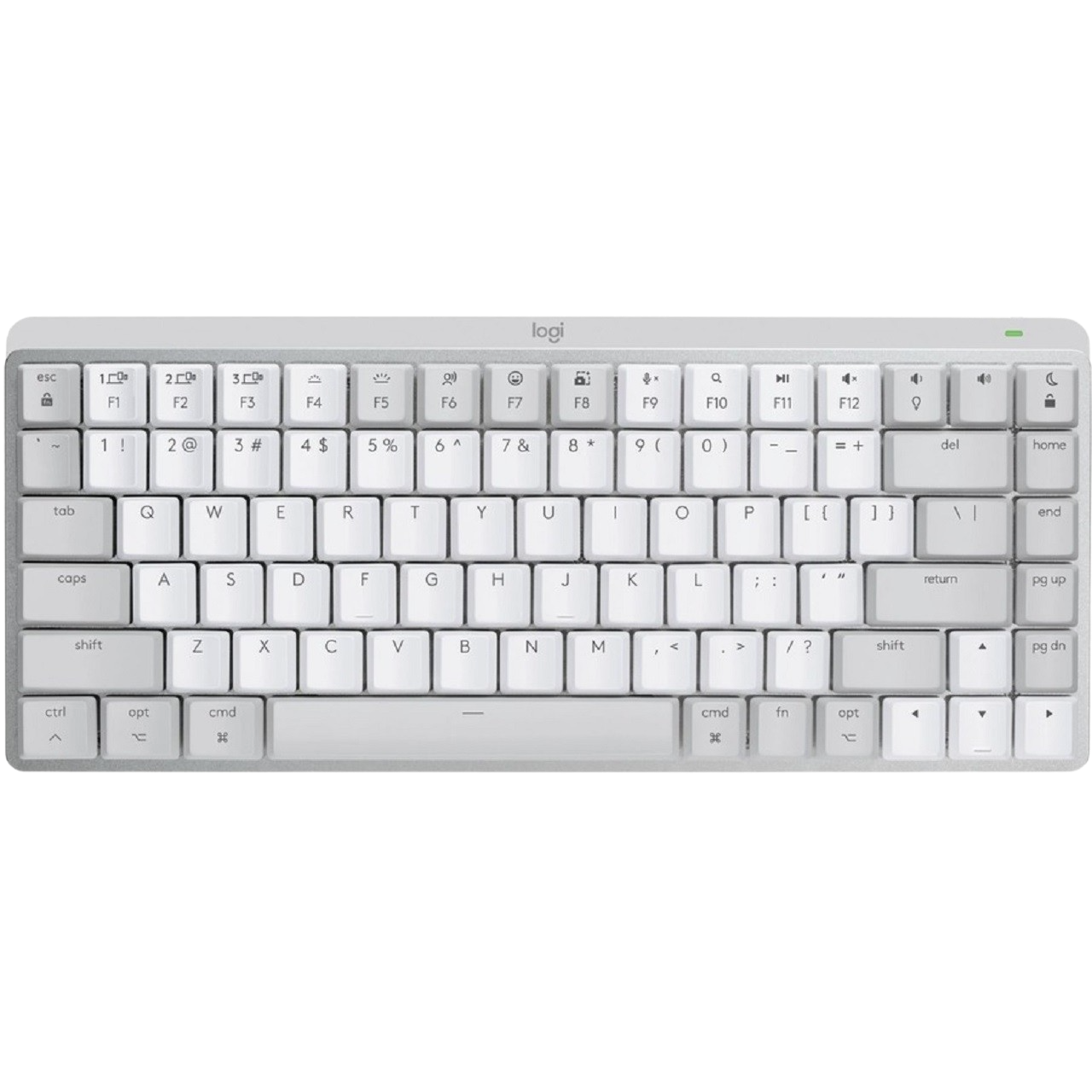
Mechanical feel with wireless convenience, in a size that actually fits a modern desk.
What stands out
- MagSpeed hybrid switches offer a satisfying tactile response that sits between a traditional mechanical and a quiet office key
- Logi Bolt wireless delivers a stable, low-latency connection that holds up in congested RF environments
- Smart illumination adjusts backlight based on ambient light and proximity, helping to extend battery life
- Compact tenkeyless layout reclaims desk space without sacrificing the main typing area
What to weigh
- No numpad means it won't suit users who do heavy data entry
- Battery life can vary significantly depending on backlight usage
- Switch options are limited compared to dedicated mechanical keyboard brands
- Compact layout requires adjustment for users accustomed to full-size keyboards
Great fit if
- Productivity users who want mechanical feel in a tidier, wireless package
- Multi-device workers who need reliable Bluetooth or Logi Bolt switching
- Desk-space-conscious typists who don't rely on a numpad
Skip it if
- Anyone who needs a numpad for regular data entry
- Users who prefer a wide selection of switch types and customisation
- Those on a tight budget — this sits at the premium end of wireless keyboards