Logitech
Logitech MX Keys Mini
The Logitech MX Keys Mini is a compact, low-profile wireless keyboard aimed at productivity users who want multi-device Bluetooth connectivity without a full-size footprint.
# Logitech MX Keys Mini
## Overview The Logitech MX Keys Mini is a compact, wireless keyboard designed for professionals and creatives who work across multiple devices. It combines a low-profile mechanical design with backlighting, multi-device Bluetooth connectivity, and a minimalist aesthetic—making it a space-efficient alternative to full-size keyboards without sacrificing core functionality.
## Standout Features - **Compact form factor** — Smaller footprint than standard keyboards, ideal for tight desk spaces or mobile workflows - **Backlit keys** — Adaptive backlighting adjusts brightness based on ambient light and hand proximity, useful for low-light work environments - **Multi-device Bluetooth connectivity** — Seamlessly switch between up to three paired devices (Mac, Windows, iPad, iPhone, etc.) with a dedicated key - **Low-profile key design** — Quieter, flatter typing experience compared to mechanical keyboards; keys require less travel distance - **Rechargeable battery** — USB-C charging; Logitech claims multi-day battery life per charge - **Minimalist design** — Clean, understated appearance with a compact layout that omits the numeric keypad - **Customizable keys** — Programmable function keys and shortcuts via Logitech Options software - **Quiet operation** — Designed for silent typing, suitable for shared workspaces
## Who It's For This keyboard is ideal for **remote workers, creative professionals, and laptop users** who regularly switch between devices and value desk space. It's particularly well-suited for people working in **open offices or shared environments** where quiet typing is appreciated, and for those who prioritize **portability and a minimalist aesthetic** over a full-featured keyboard layout.
## Important Considerations - **No numeric keypad** — If you frequently enter numbers or work with spreadsheets, the missing numpad may slow your workflow; consider whether you'd use an external numpad - **Limited key travel** — The low-profile design means less tactile feedback than traditional mechanical keyboards; some users find this takes adjustment - **Bluetooth-only** — No wired connection option, so you're dependent on battery charge and Bluetooth connectivity; occasional pairing issues have been reported by some users - **Smaller layout** — The compact design means some keys are repositioned or smaller than on full-size keyboards; arrow keys and modifier keys may feel cramped if you're accustomed to standard spacing - **Price point** — This is a premium keyboard; budget-conscious buyers may find more affordable alternatives with similar core features - **Software dependency** — Full customization requires Logitech Options software; basic functionality works without it, but advanced features need the app - **Not ideal for gaming** — While functional, the low-profile design and Bluetooth latency make this better suited for productivity than competitive gaming
## Bottom Line The MX Keys Mini is a well-engineered choice for professionals seeking a compact, quiet, multi-device keyboard with modern conveniences. Its main trade-off is the smaller layout and reduced key travel—factors that matter more to some users than others. If you have desk space constraints and work across multiple devices, it's worth considering; if you need a numeric keypad or prefer deeper key switches, look elsewhere.
Key features
- MX Keys Mini keyboard
- backlit
- multi-device Bluetooth
- low-profile minimalist design.
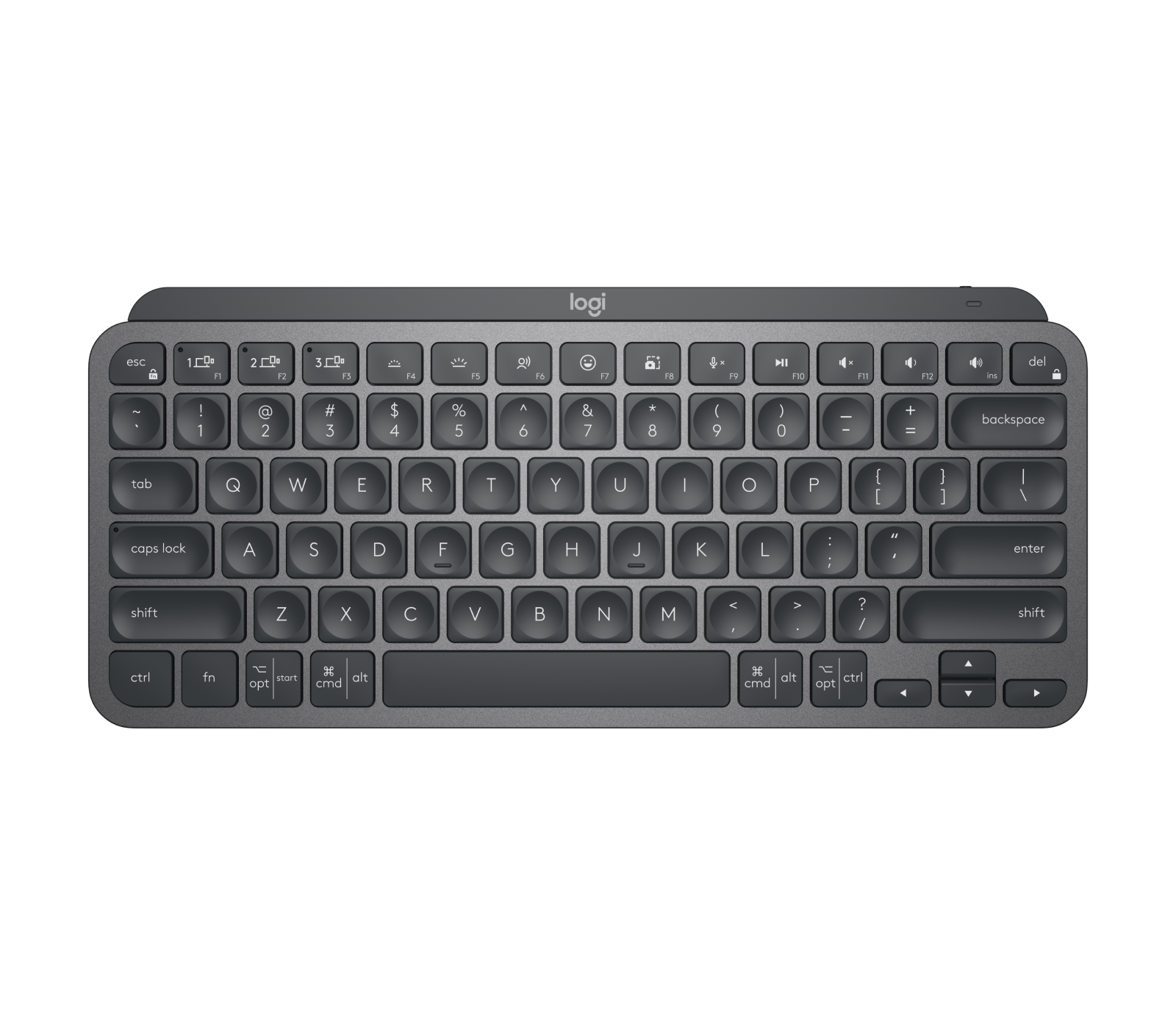
Seen at 2 retailers from $59.99 to $96.99 as of 2026-03-01. Prices change — check the retailer for the current price.
A refined, no-nonsense keyboard that earns its place on a clean desk.
What stands out
- Spherically-sculpted key caps improve typing accuracy and feel more natural under the fingers than flat alternatives.
- Easy-Switch Bluetooth pairing lets you switch between up to three devices with a single key press.
- Backlit keys with smart illumination that activates when your hands approach and dims when you step away, preserving battery life.
- Compact tenkeyless layout reduces desk clutter without sacrificing the core key set most users rely on.
What to weigh
- No number pad, which will frustrate users who do heavy data entry.
- Battery is built-in and non-replaceable, so long-term repairability is limited.
- Lacks a dedicated USB-A receiver option in some configurations, requiring Bluetooth-only pairing on certain bundles.
Great fit if
- Professionals who work across a Mac, PC, and tablet and want seamless switching between them.
- Minimalist desk setups where a compact, premium-feeling keyboard matters.
- Typists who spend long hours at a keyboard and value key feel over raw speed.
Skip it if
- Anyone who regularly works with spreadsheets or financial data and relies on a number pad.
- Users who prefer a mechanical key feel — the low-profile scissor switches won't satisfy that preference.
- Those who need a wired connection for latency-sensitive or secure environments.