Keychron
Keychron Q3 Pro
The Keychron Q3 Pro is a premium 75% wireless mechanical keyboard with a full aluminum build, aimed at enthusiasts who want a customisable, desk-ready board without sacrificing portability.
Shopi's verdict
The Keychron Q3 Pro is a strong choice for enthusiasts who want a premium, customizable mechanical keyboard without sacrificing wireless flexibility — the aluminum build and hot-swap sockets make it feel far more serious than most boards at this tier. The 75% layout keeps function keys and navigation cluster intact while trimming desk footprint, though those coming from a full-size board may need an adjustment period. A compelling pick for Mac-primary users who want a gasket-style, endgame-adjacent board; less compelling if you're on a tight budget or have no interest in swapping switches.
### Overview
The Keychron Q3 Pro is a CNC-aluminum tenkeyless mechanical keyboard with hot-swappable switches, QMK/VIA support, and triple-mode connectivity. The Special Edition variant adds four dedicated macro keys and a programmable aluminum rotary knob to the left side of the layout, making it a notably more feature-rich take on the TKL form factor. After extended real-world testing, it earns its reputation by doing the foundational things right — gasket-mounted typing feel, stable stabilizers, and clean firmware — at a price that is genuinely fair.
---
### Pros
- **Double-gasket typing feel:** The keyboard features a gasket-mounted PCB with two layers of sound-absorbing foam in an aluminum case, including gaskets separating the top and bottom parts of the chassis — a construction approach that meaningfully softens keystroke impact and reduces resonance, which you'd typically only find in custom-built boards at this price. - **QMK/VIA firmware with no cloud lock-in:** QMK and VIA together let you remap keys per-layer, define macros, and tune the keyboard without signing into a vendor cloud account — most gaming keyboards at this price use proprietary firmware that requires the manufacturer's app and account; the Q3 Pro does not, which matters for users who care about local control of their devices. - **Genuine multi-device wireless:** You can connect the Q3 Pro with up to three devices wirelessly via Bluetooth 5.1 for seamless multitasking across your laptop, phone, and tablet — a practical advantage for anyone who switches between a Mac, an iPad, and a phone throughout the day. - **First-class Mac and Windows compatibility:** Built with Mac users' experience in mind while retaining compatibility for Windows devices, the Q3 Pro comes with a system toggle and an additional set of customized keycaps for both operating systems, and you can save two different layouts on the keyboard — one for each system.
---
### Cons
- **Wireless polling rate drops significantly:** The polling rate is 1,000 Hz in wired mode, but drops to 90 Hz in wireless mode — still perfectly responsive for most users, but competitive gamers who need maximum responsiveness will want to stay wired. - **Substantial weight:** The all-aluminum construction makes this keyboard considerably heavy at 2.3 kg — it won't shift on your desk, but it's not a board you'll want to carry in a bag regularly. - **Non-standard keycap profile limits aftermarket options:** The stock OSA-profile keycaps are a non-standard profile; buyers who want to swap to Cherry, OEM, or SA profile keycaps later will find available aftermarket OSA options limited — for users who plan to keep the stock caps this is irrelevant, but for those who plan to customize, it's a real constraint. - **QMK/VIA setup has a learning curve:** There's no easy way to assign per-key lighting schemes, and programming complex macros is more challenging than with dedicated gaming software — there's no simple record button, and for modifier keys you'll need to look up key commands on the QMK website.
---
### Who It's For
Power users, developers, and those who take full advantage of productivity workflows will find this to be an excellent mechanical keyboard. It suits hobbyists who customize switches and layouts, professionals needing multi-device Bluetooth connectivity, and typists seeking a quieter, refined sound. The Mac-first design philosophy, dedicated OS toggle, and included Mac keycaps also make it a natural fit for Apple ecosystem users who want a premium mechanical keyboard without compromise.
---
### Not Right For
Buyers who want a lightweight, portable daily carry keyboard, or competitive gamers who require a 1,000 Hz wireless polling rate — the Q3 Pro's aluminum build and Bluetooth limitations make it better suited to a permanent desk setup.
Researched across 8 sources: thereviewbench.com, hashbangcode.com, keychron.com, forbes.com, xda-developers.com, mmorpg.com, forums.appleinsider.com, keeb-finder.com.
Key features
- compact 75% layout
- aluminum frame
- wireless
- hot-swappable
- Mac support
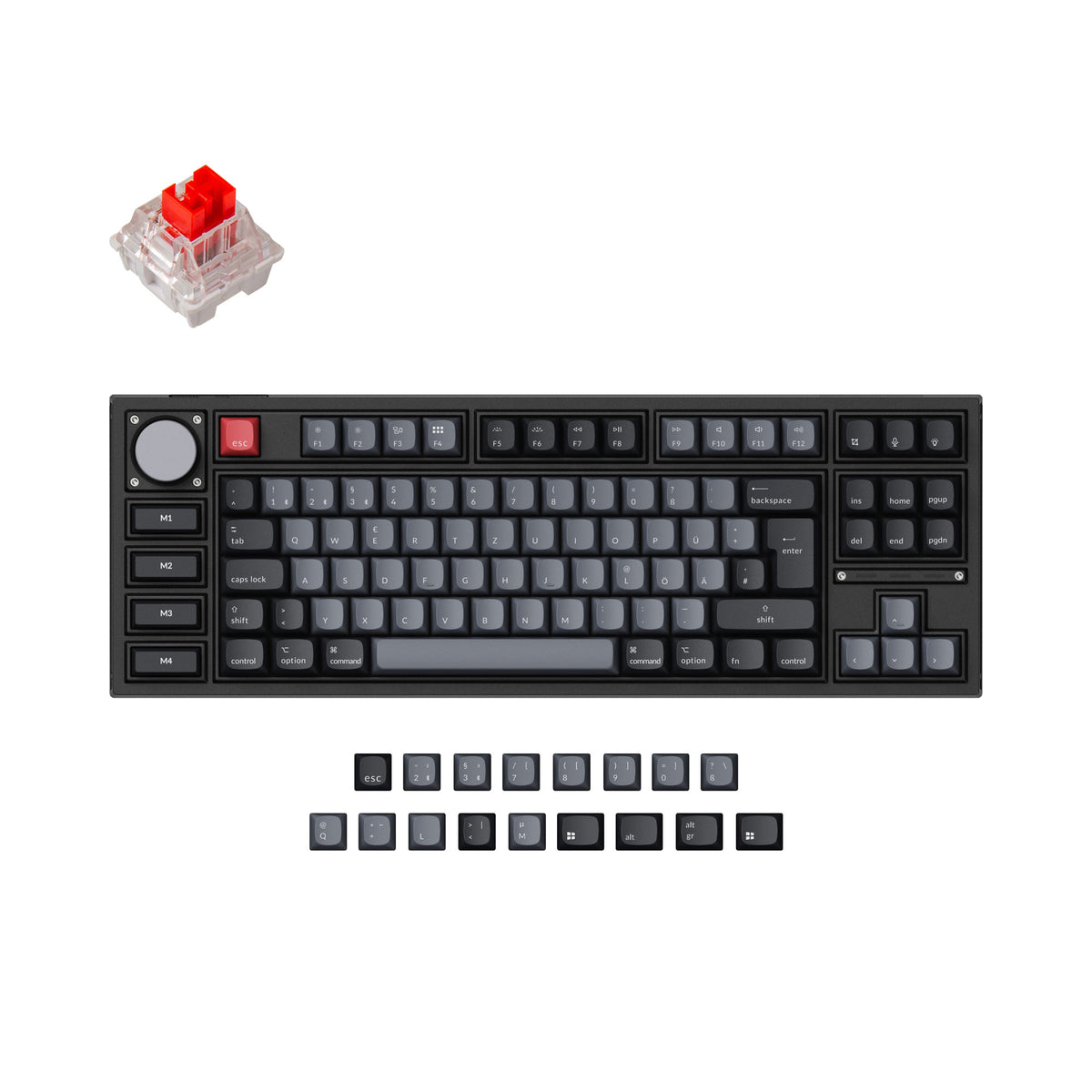
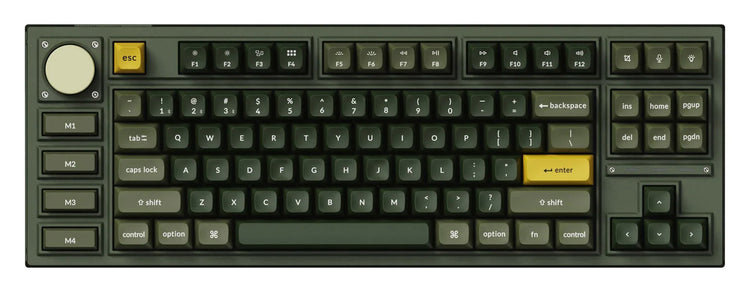
A rare combination of serious build quality and genuine wireless flexibility in a compact layout.
What stands out
- Full CNC aluminum frame gives the board a substantial, premium feel that punches well above typical wireless keyboards.
- Hot-swappable switch sockets let you change switches without soldering, making it easy to tune the typing feel over time.
- 75% layout retains function row and arrow keys while cutting significant desk footprint compared to a full-size board.
- Strong out-of-the-box Mac compatibility with dedicated keycaps and easy toggle between Mac and Windows modes.
What to weigh
- Aluminum construction makes the board noticeably heavy, which limits true portability despite the wireless capability.
- Battery life can be shorter than lighter wireless keyboards due to the power demands of RGB lighting at higher brightness.
- Price sits at the higher end of the enthusiast segment, which may be hard to justify for casual typists.
Great fit if
- Enthusiasts who want a customisable, hot-swappable board without committing to a wired-only setup.
- Mac users looking for a compact keyboard with proper macOS key labelling and layout switching.
- Desk setups where a premium, solid-feeling board is a priority.
Skip it if
- Anyone who needs a genuinely lightweight travel keyboard — the aluminum frame adds considerable weight.
- Typists on a tight budget who don't need hot-swap or wireless features.
- Users who prefer a full-size or tenkeyless layout with a dedicated numpad.