DTech
DTech HDMI Dummy Plug Display Emulator
A compact HDMI EDID emulator that tricks a computer into thinking a display is connected, enabling headless operation at resolutions up to 4K at 60Hz.
# HDMI Dummy Plug Display Emulator — DTech
## Overview The DTech HDMI Dummy Plug is a small adapter that tricks your computer into thinking a monitor is connected, even when it isn't. It's useful for headless systems (like a Mac Mini running without a physical display) that need to maintain video output capability or run at full resolution without an actual monitor attached.
## Standout Features - **4K@60Hz support** — Emulates a high-resolution display capable of 4K video output at 60Hz refresh rate - **EDID emulation** — Sends proper display identification data to your system, allowing it to recognize a "connected" monitor and maintain resolution settings - **Triple pack** — Comes with three plugs, useful for backup units or multiple headless systems - **Plug-and-play operation** — No drivers or software installation required; works immediately when inserted - **Compact design** — Small form factor that doesn't obstruct adjacent ports
## Who It's For This is ideal for users running **headless servers or media centers** (particularly Mac Mini users) who need their system to output video at full resolution even without a physical monitor. It's also useful for **remote desktop setups** where you want your computer to maintain high-resolution capability while being accessed from another device, or for **developers and IT professionals** who need consistent display settings on unattended systems.
## Important Considerations - **Display output still requires a real monitor** — This plug emulates a display to your system; it doesn't create an actual viewable screen. You still need a real monitor connected to see anything, or you'll be using remote access software - **Mac-specific mention** — While marketed for Mac Mini, compatibility with Windows PCs and Linux systems varies; verify compatibility with your specific OS and hardware before purchasing - **EDID limitations** — The emulator provides standard EDID data, but some systems or applications may behave differently than with a genuine monitor connected - **Resolution persistence** — Works best for maintaining resolution settings; actual performance depends on your graphics hardware and system configuration - **Not a display replacement** — This is a workaround tool, not a substitute for proper display connectivity when you actually need to view content on your computer
**Bottom line:** This is a practical utility for specific headless computing scenarios, but only purchase it if you understand that it tricks your system into *thinking* a display is connected—it doesn't create one.
Key features
- 4K@60Hz support
- EDID emulator for Mac Mini headless operation
- triple pack for backups
- plug-and-play no drivers needed
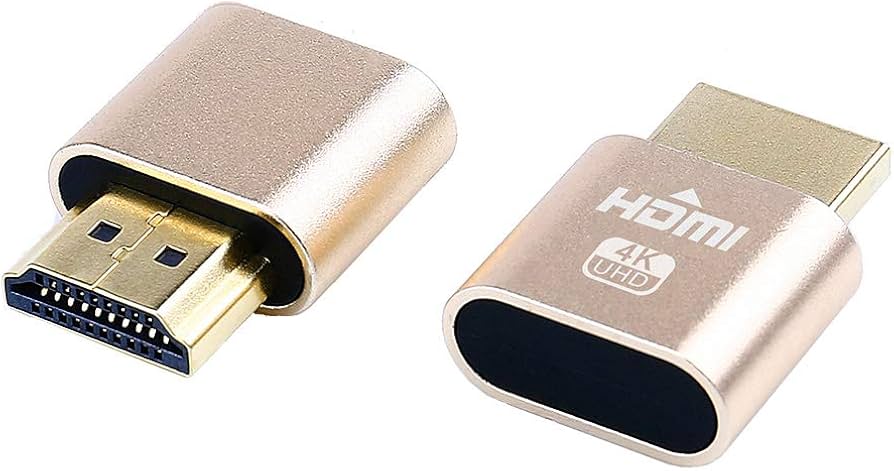
Seen at 3 retailers from $8.95 to $55.99 as of 2026-03-03. Prices change — check the retailer for the current price.
Keeps a headless Mac Mini or server running at full resolution without a monitor ever being plugged in.
What stands out
- Supports 4K at 60Hz, so the system maintains a high-resolution virtual display rather than defaulting to a low-res fallback
- Plug-and-play with no drivers or software required — just insert and forget
- Triple pack provides useful redundancy for multi-machine setups or as spares
What to weigh
- Purely passive — if the host machine's GPU or OS doesn't respect EDID signals correctly, resolution behaviour may still vary
- No display output of any kind, so remote access software is still required to actually see the screen
Great fit if
- Mac Mini or NUC users running headless servers or remote desktop setups
- Home lab or data centre operators who need stable high-resolution output without a physical monitor
- Anyone managing multiple headless machines who wants backup units on hand
Skip it if
- Users who need an actual display signal passed through to a monitor
- Anyone expecting the plug to replace remote-access software — it handles resolution only, not screen sharing